Photography
Related: About this forumImage transfer -- camera to computer directly + last night's beautiful sunset.
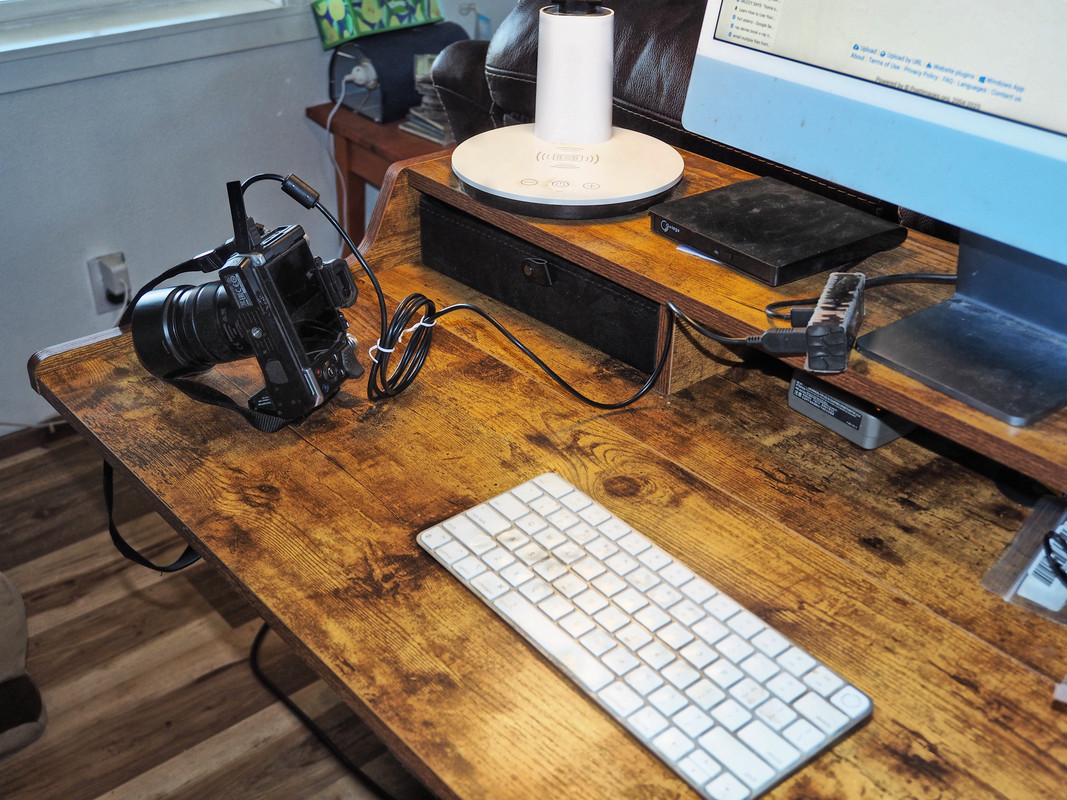
I'm able to use Image Capture to transfer images and video clips to my iMac from a camera. About time this non-techie learned how to do that.

 = new reply since forum marked as read
Highlight:
NoneDon't highlight anything
5 newestHighlight 5 most recent replies
= new reply since forum marked as read
Highlight:
NoneDon't highlight anything
5 newestHighlight 5 most recent replies

CaliforniaPeggy
(155,942 posts)What is your camera plugged into?
I am not familiar with Image Capture.


George McGovern
(10,450 posts)which is plugged into one of my iMac's ports on the back of the computer. Which is a lot of words to say the set-up permits file transfers from my camera into the computer, which is slower than going through an SD card carder but also saves some "wear and tear" on the SD card and reader.
Image Capture is Mac's built-in application for transferring photos from cameras. If you work with Windows this application is available —
https://phototransferapp.com/win/
CaliforniaPeggy
(155,942 posts)And I do have a Windows machine.
George McGovern
(10,450 posts)transfer application are not absolutely necessary to download images. Thanks for asking!

Diamond_Dog
(39,524 posts)My son showed me how to do that with the Nikon a while ago but it’s been a while since I’ve done it and probably need him to show me again.
George McGovern
(10,450 posts)Transfer does take longer though, than through an instant access card reader, which I'll use if I need to see results asap.
Thank You!

LoisB
(12,165 posts)George McGovern
(10,450 posts)I recalled that your words were encouraging to me at the time. Did some research and this is your comment from last June —
"The sky is not as dramatic as at the farm but I think we are going to be just fine. These are beautiful. The trees are fantastic. Thank you."
And you were absolutely right! Thank You Too!
LoisB
(12,165 posts)everywhere, we just have to open our eyes.
George McGovern
(10,450 posts)
Callalily
(15,290 posts)I just use a card reader. Very easy and that way I can eliminate photos right away that are not worthy!
George McGovern
(10,450 posts)and click here and there and here again and the pix magically show up in the application. All this modernization sure beats taking rolls of film to the drugstore anyways. Thanks.